Guide
Plan a journey, choose an option and explore the details. Try it in the I’m Planner debug site.
1. Choose where to go
Section titled “1. Choose where to go”Enter a start and destination, then select a suggestion. You can search for a station, stop or address. Use the swap button to reverse the journey.
For a first example, enter Utrecht Centraal and Utrecht Science Park. You can also paste coordinates: 52.0894,5.1102 and 52.0925,5.1813.
2. Choose a time
Section titled “2. Choose a time”Select a date and time. Use Depart at to leave around that time, or Arrive by to plan towards an arrival time.
3. Choose your preferences
Section titled “3. Choose your preferences”Open Settings to choose walking and cycling speeds, allow extra transfer time, include fares or explore flexible transport. Select Apply Changes to save and search again.
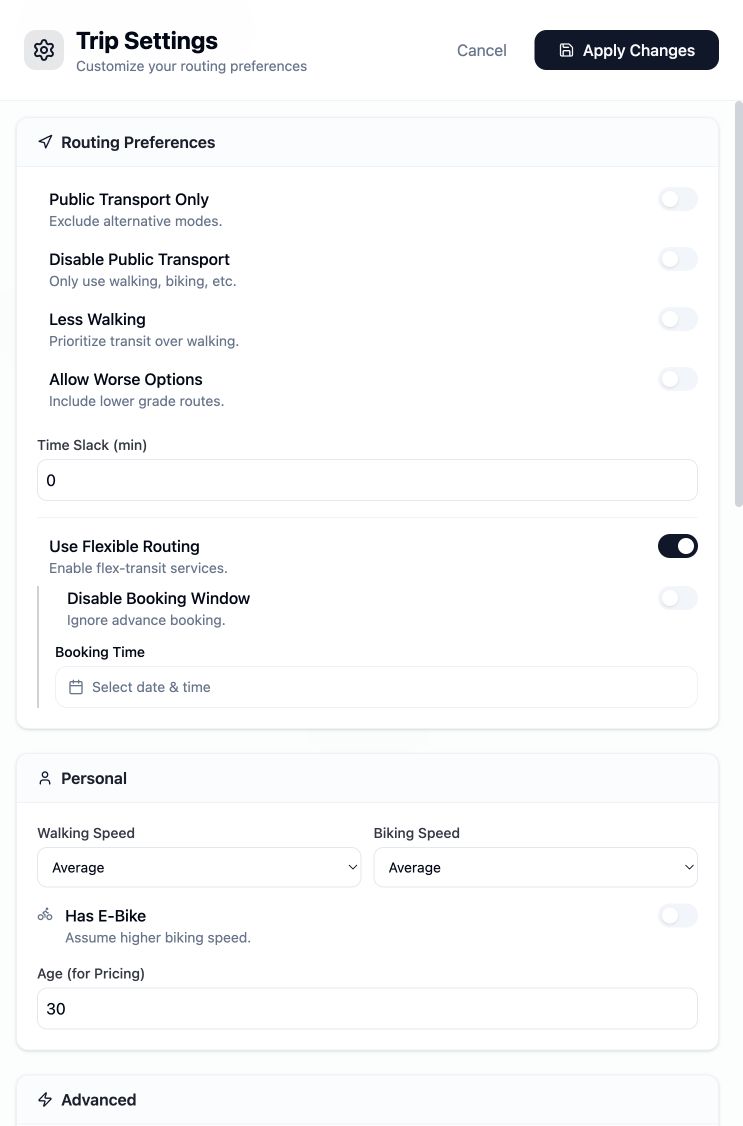
Walking speed, cycling speed and flexible travel settings in I’m Planner.
4. Compare journeys
Section titled “4. Compare journeys”Select Search. The first journeys appear while more options are being found. Compare departure and arrival times, journey duration, transfers and price. Expand a group to see more departure options.
5. Open the details
Section titled “5. Open the details”Select a journey to see each leg. Expand the stops, view the fare breakdown or select a leg to highlight it on the desktop map. Flexible journeys include booking information.
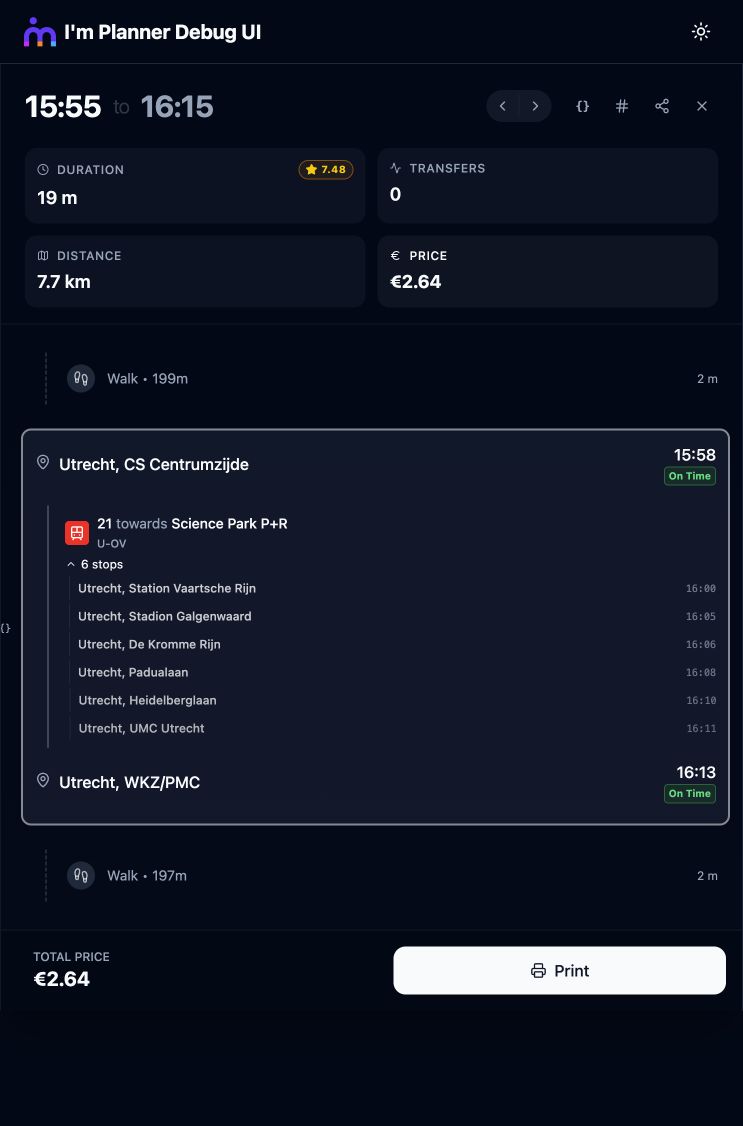
A Utrecht journey with walking legs, tram 21 and its intermediate stops.
6. Share it
Section titled “6. Share it”Copy the search URL to let someone repeat your search. Use Share Trip Link in the trip details to share that particular journey as a snapshot.
Try something different
Section titled “Try something different”- Travel with Bravoflex from Breda Airport to Roosendaal.
- Take the train and an OV-fiets to Venlo Eindhoven Zweefvliegclub.
- Plan to arrive by a chosen time.
- Build your first API request.